Optimizing the checkout flow
Murator Case Study
Murator Case Study
Enhancing the existing Murator landing page and streamlining the entire checkout flow to deliver a superior user experience and a visually refined UI.
Enhancing the existing Murator landing page and streamlining the entire checkout flow to deliver a superior user experience and a visually refined UI.
Discovery Phase
Discovery Phase
I started with a meeting with the client and stakeholders to understand the project. Since it was the beginning, I asked many questions about their goals and what they wanted to achieve. We talked about what is possible to build and what the main problems are.
I started with a meeting with the client and stakeholders to understand the project. Since it was the beginning, I asked many questions about their goals and what they wanted to achieve. We talked about what is possible to build and what the main problems are.
To prioritize these ideas, I used the MoSCoW method to decide which features were essential and which could wait. To understand the situation even better, I also looked at the data. I checked how long it takes for users to finish the checkout and where they usually leave. This helped me see the real problems before I started any design work.
To prioritize these ideas, I used the MoSCoW method to decide which features were essential and which could wait. To understand the situation even better, I also looked at the data. I checked how long it takes for users to finish the checkout and where they usually leave. This helped me see the real problems before I started any design work.
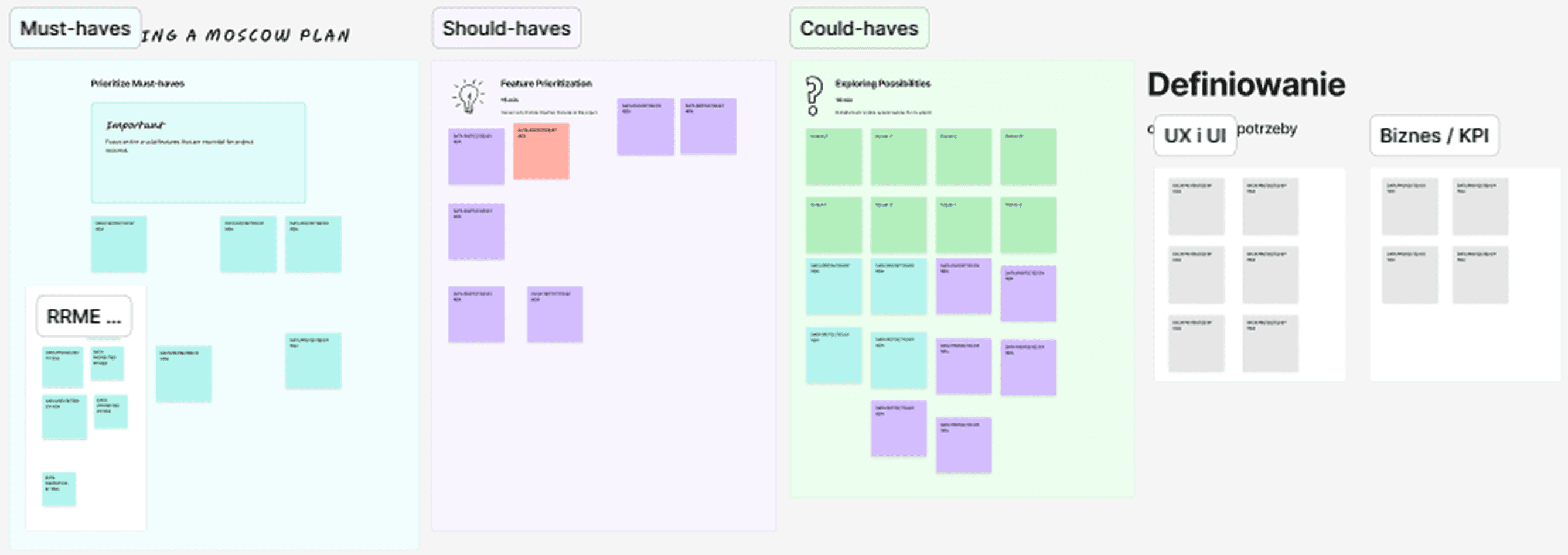
MoSCoW workshop with client and team. Content hidden due to NDA.
The Challenge & Pain Points
The Challenge & Pain Points
Murator’s original subscription process was cluttered and didn't feel like part of the brand. Because there were no product visuals and the layout was messy, many users got confused and quit the process.
Murator’s original subscription process was cluttered and didn't feel like part of the brand. Because there were no product visuals and the layout was messy, many users got confused and quit the process.
I analyzed the flow to find exactly where people were getting stuck. To keep things clear, I’m showing the analysis on desktop – the flow and the problems were the same on mobile.
I analyzed the flow to find exactly where people were getting stuck. To keep things clear, I’m showing the analysis on desktop – the flow and the problems were the same on mobile.
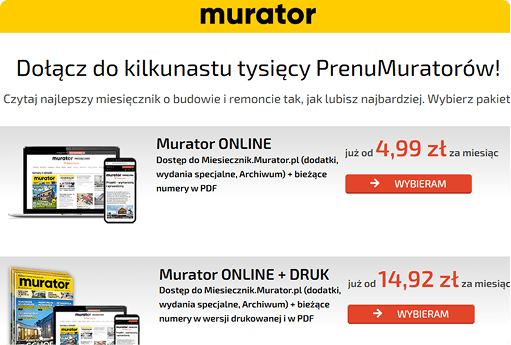
Confusing offer layout: Hard to see the difference between offers. Users don't know which subscription to pick.
Unclear benefits: Not clear what users are paying for. Hidden value.
Landing Page Pain Points
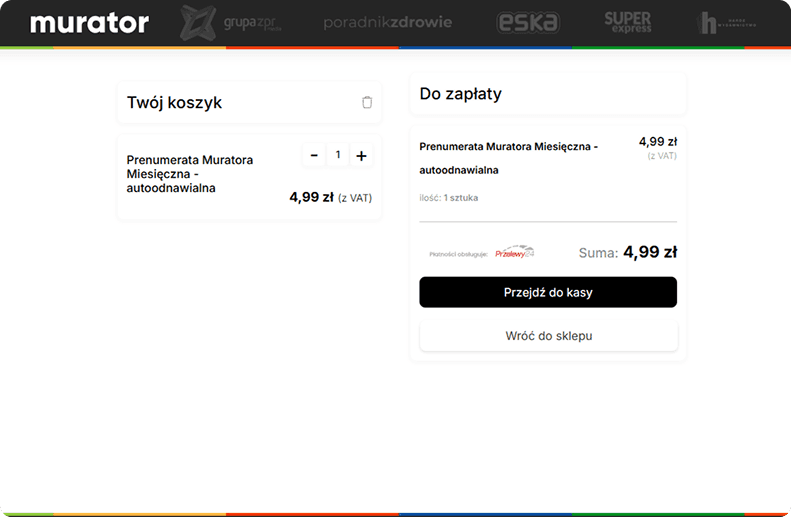
Cart Pain Points
Missing Product Visuals: No images of the subscription. Users feel unsure when they can't see what they are buying.
Inconsistent Header: The header changes after entering the checkout. This lack of consistency can make users feel unsafe about leaving their payment details.
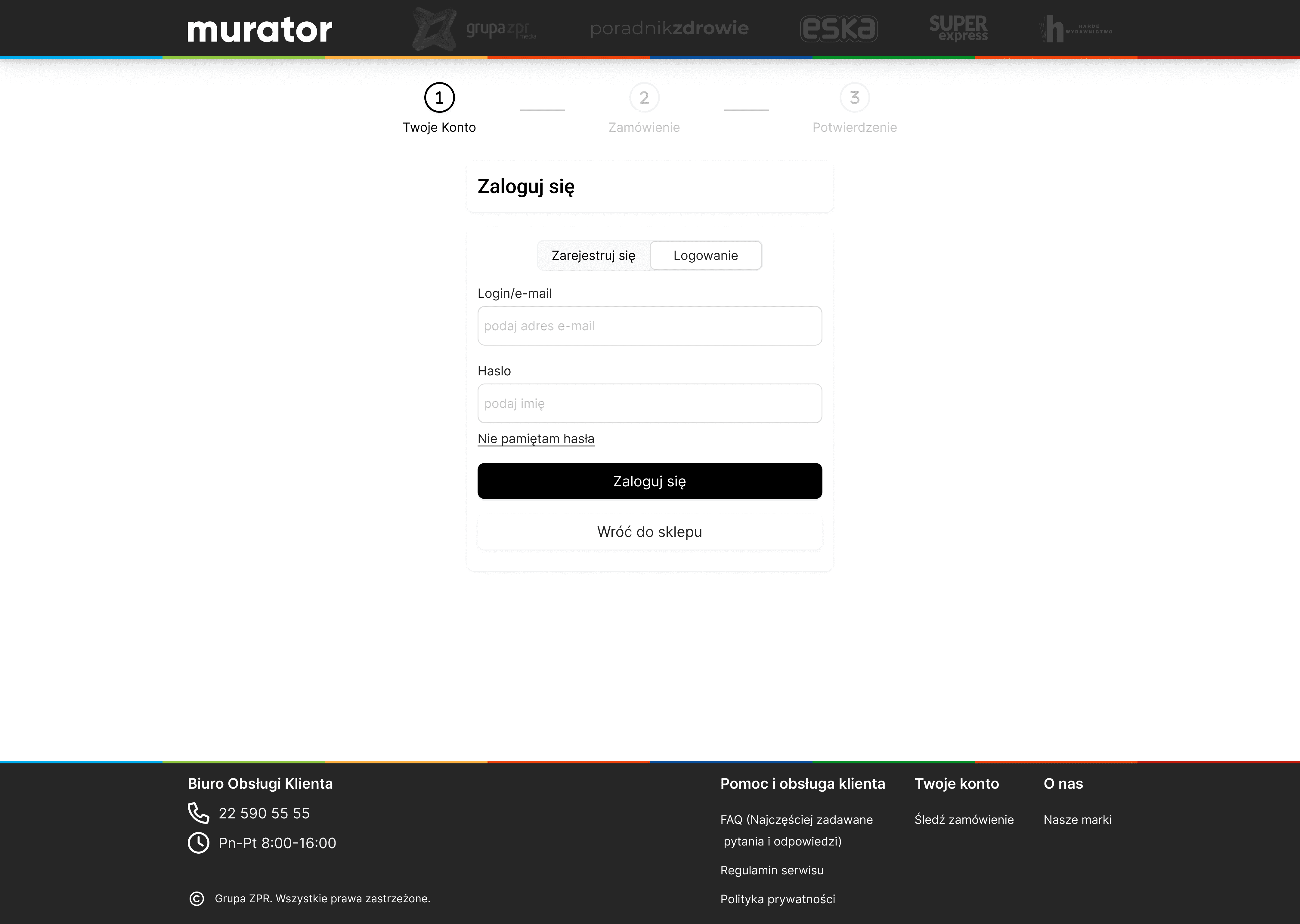
Login Page Pain Points
No Guest Checkout: Forced registration stops users from buying. Most people want a fast, one-click experience.
Confusing offer layout
Problem: It’s hard to see the difference between offers. Users don't know which one to pick.
Unclear benefits
Problem: Not clear what users are paying for. Hidden value.
Missing Brand Identity
Problem: The brand's primary yellow is missing from key actions. Users might feel like they’ve landed on a different, "wrong" website.
Inconsistent Header
Problem: The header changes after entering the checkout. This lack of consistency can make users feel unsafe about leaving their payment details.
Missing Product Visuals
Problem: No images of the subscription. Users feel unsure when they can't see what they are buying.
No Guest Checkout
Problem: Forced registration stops users from buying. Most people want a fast, one-click experience.
Benchmarking
Benchmarking
Instead of trying to reinvent the wheel, I focused on bringing Murator up to modern standards. I applied familiar e-commerce patterns that users already know and trust from sites like Apple or IKEA. My goal was simple - stop making users think and create a smooth, intuitive path that guides them straight to the finish line.
Instead of trying to reinvent the wheel, I focused on bringing Murator up to modern standards. I applied familiar e-commerce patterns that users already know and trust from sites like Apple or IKEA. My goal was simple - stop making users think and create a smooth, intuitive path that guides them straight to the finish line.
Apple Checkout Flow
Apple Checkout Flow
I analyzed Apple’s process to find the best patterns for Murator. I focused on their guest checkout and minimalist layout to remove distractions. Here are the key patterns I decided to use.
I analyzed Apple’s process to find the best patterns for Murator. I focused on their guest checkout and minimalist layout to remove distractions. Here are the key patterns I decided to use.
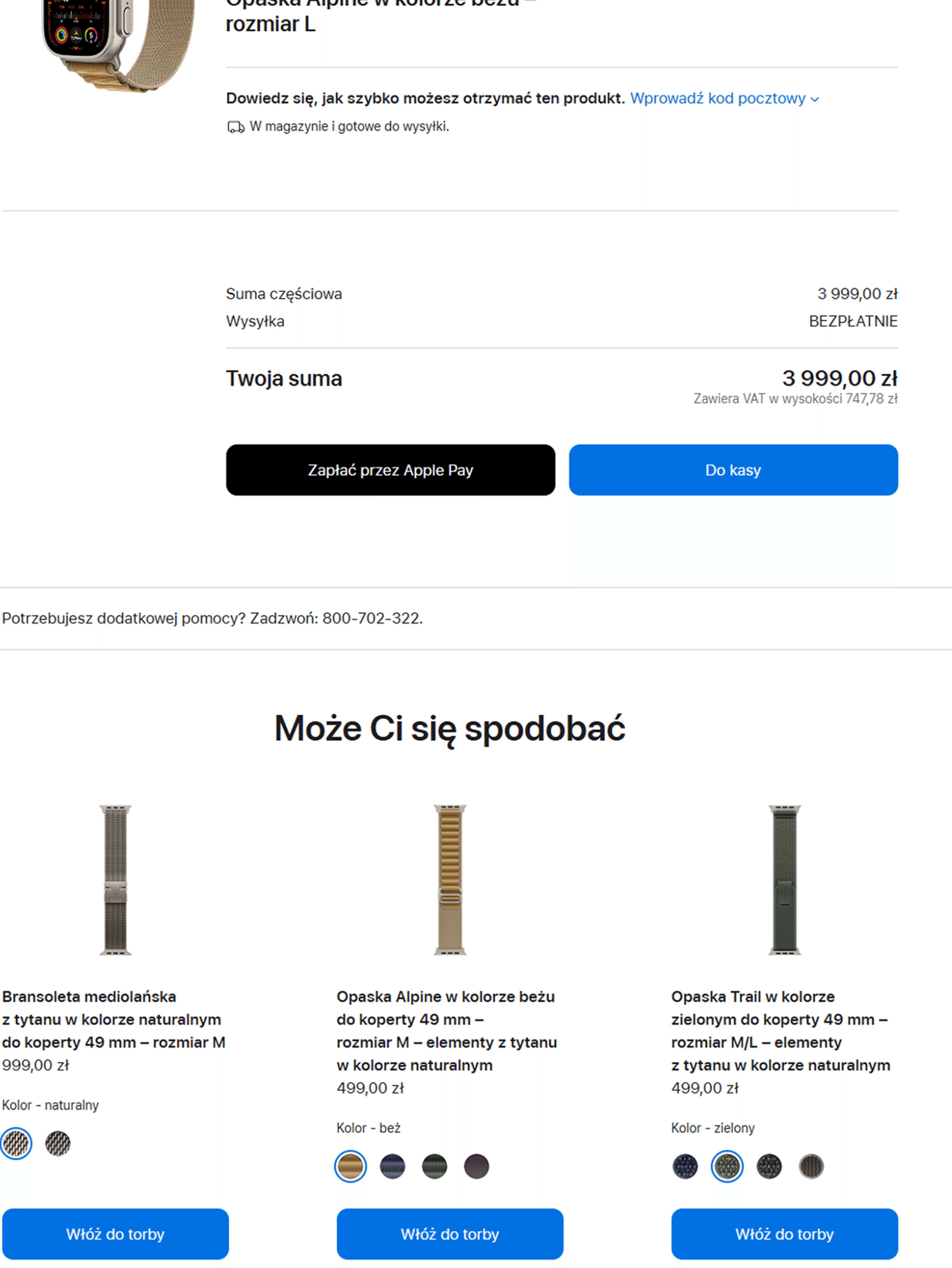
Cart Outcome
Cross-selling: Additional product recommendations appear only in this specific view to avoid distractions earlier.
One-click Conversion: Registered users with saved data can complete their purchase with a single click.
One-click Conversion
Registered users with saved data can complete their purchase with a single click.
Crosselling
Appear only in this view.
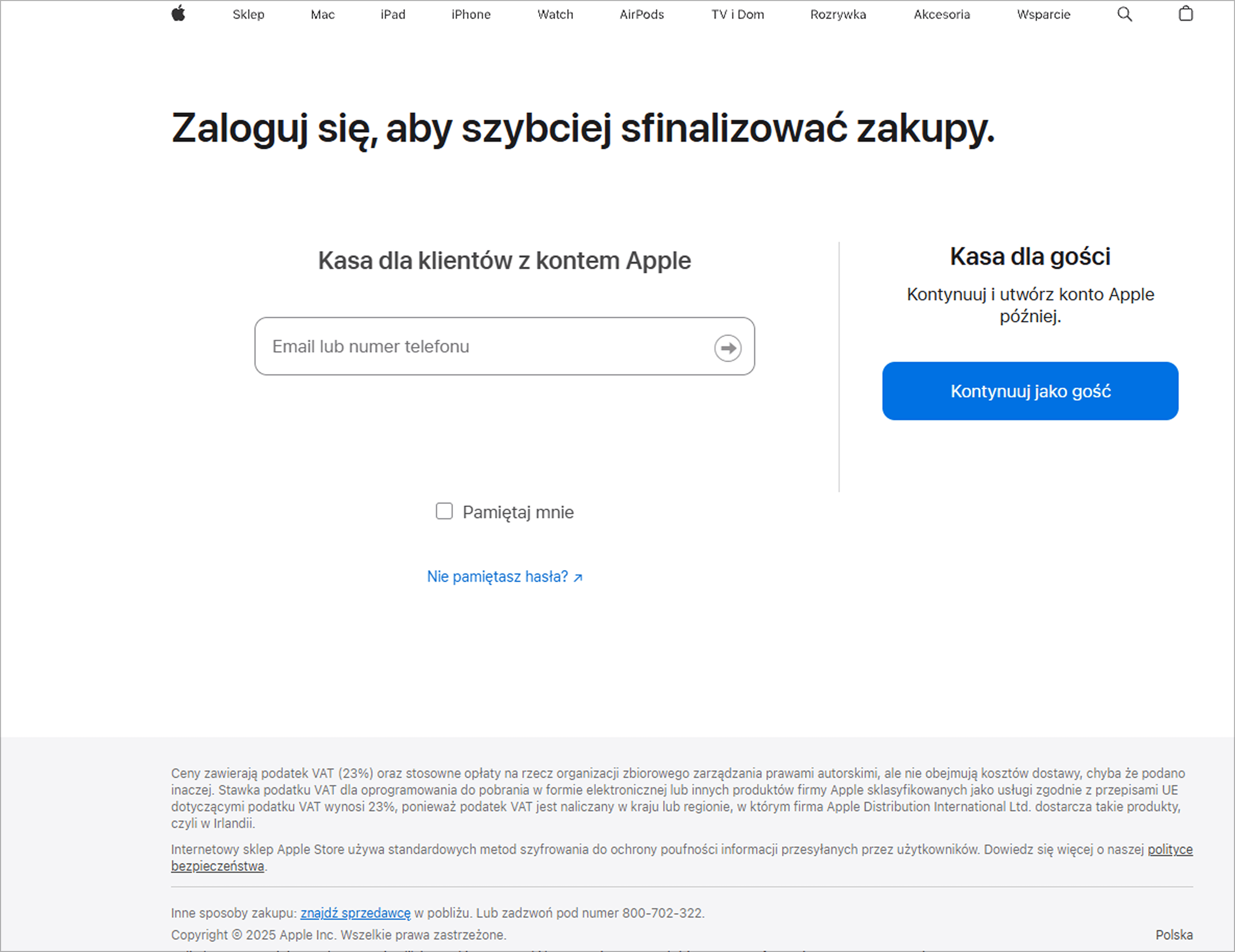
Guest Checkout Strategy
Lowering the barrier to entry by removing mandatory account creation.
Login Page Outcome
Guest Checkout Strategy: Lowering the barrier to entry by removing mandatory account creation.
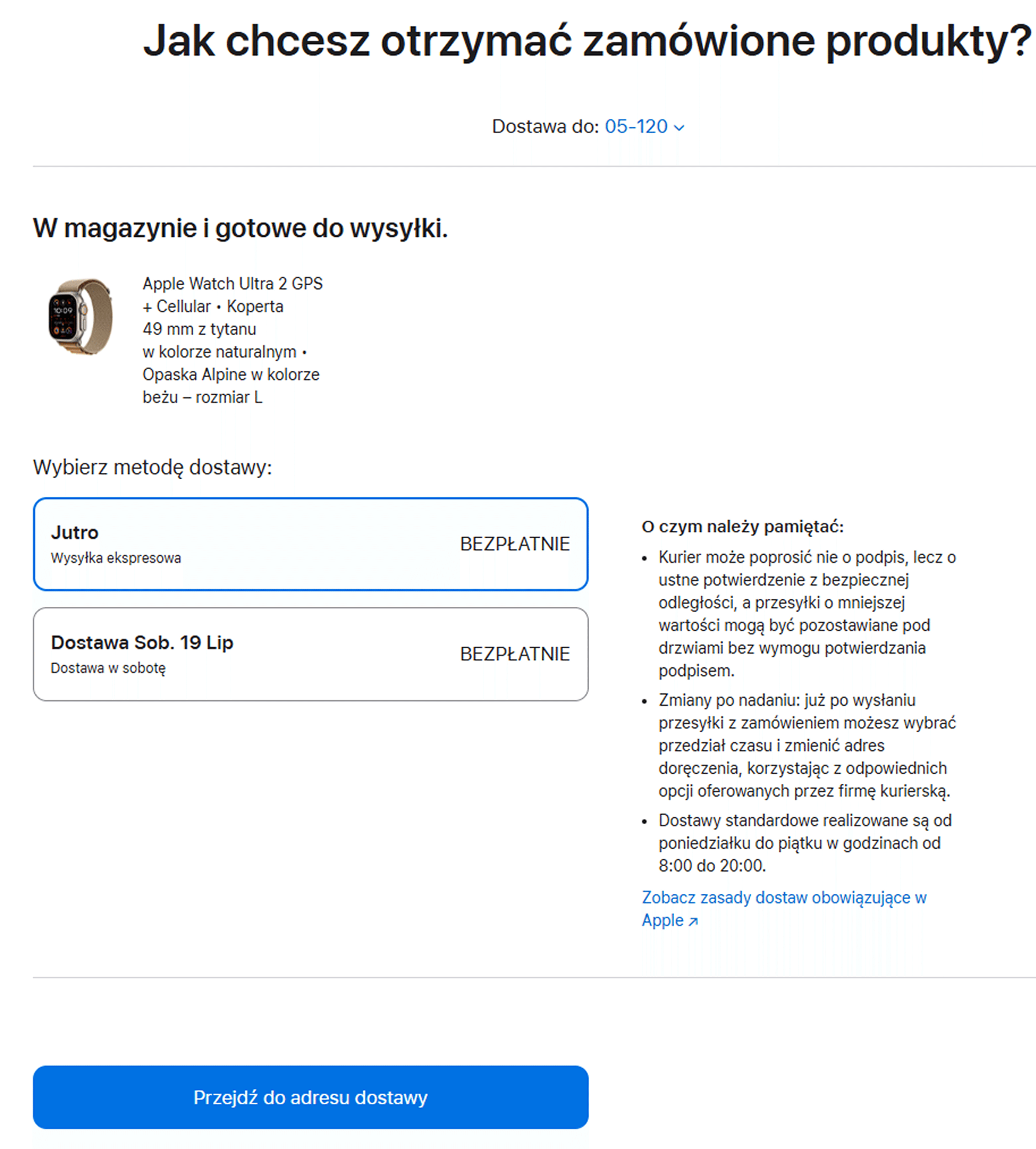
Delivery Outcome
Delivery Scheduling: Instead of just choosing a delivery method, users can select a specific delivery date. This provides better predictability and control over the shipping process.
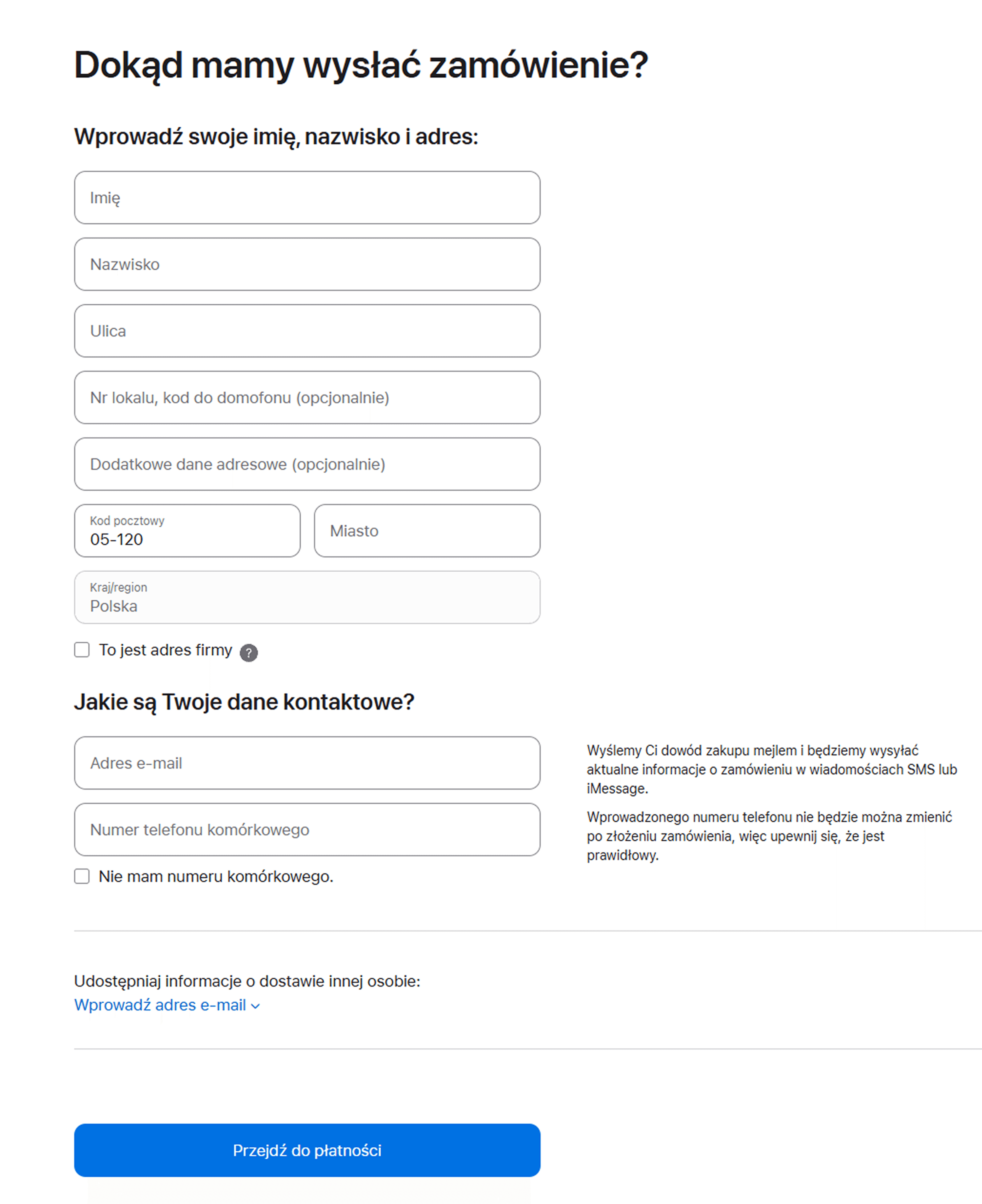
Checkout Outcome
Minimalist Checkout Environment: A clean space focused entirely on the transaction. By removing navigation links, product ads, and even the detailed cart view, they eliminate all potential exit points and distractions.
Delivery Scheduling
Instead of just choosing a delivery method, users can select a specific delivery date. This provides better predictability and control over the shipping process.
Minimalist Checkout Environment
A clean space focused entirely on the transaction. By removing navigation links, product ads, and even the detailed cart view, they eliminate all potential exit points and distractions.
Ikea Checkout Flow
Ikea Checkout Flow
I studied IKEA to see how they manage complex steps like delivery and cart updates. I focused on their modal window for adding products and their simple cross-selling patterns. These ideas helped me create a smoother transition from the shop to the checkout.
I studied IKEA to see how they manage complex steps like delivery and cart updates. I focused on their modal window for adding products and their simple cross-selling patterns. These ideas helped me create a smoother transition from the shop to the checkout.
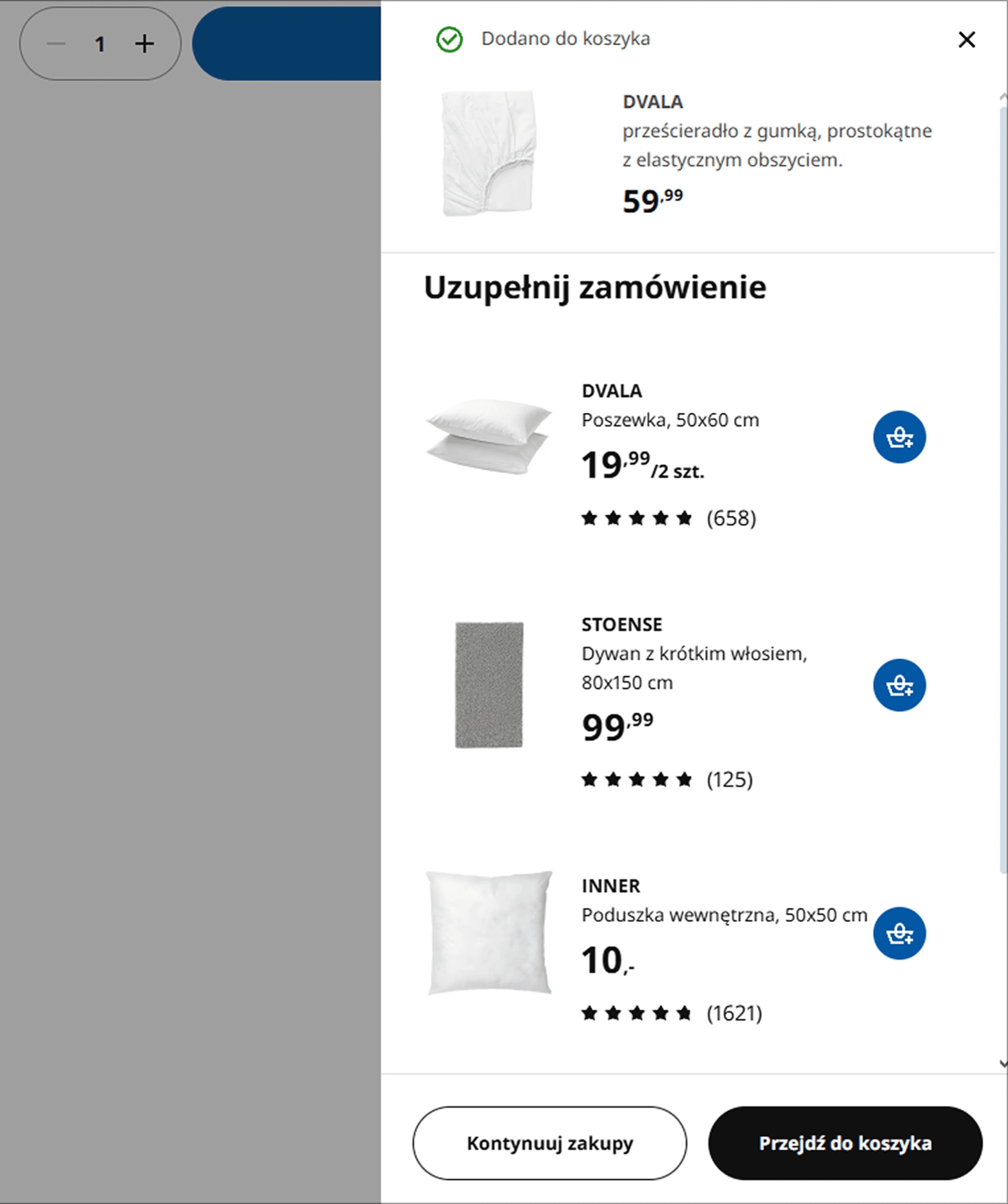
Upselling Strategy
Smart Cart Summary: Complimentary products are displayed at this stage to declutter the main product page. This ensures a cleaner, more focused experience while still driving additional sales.
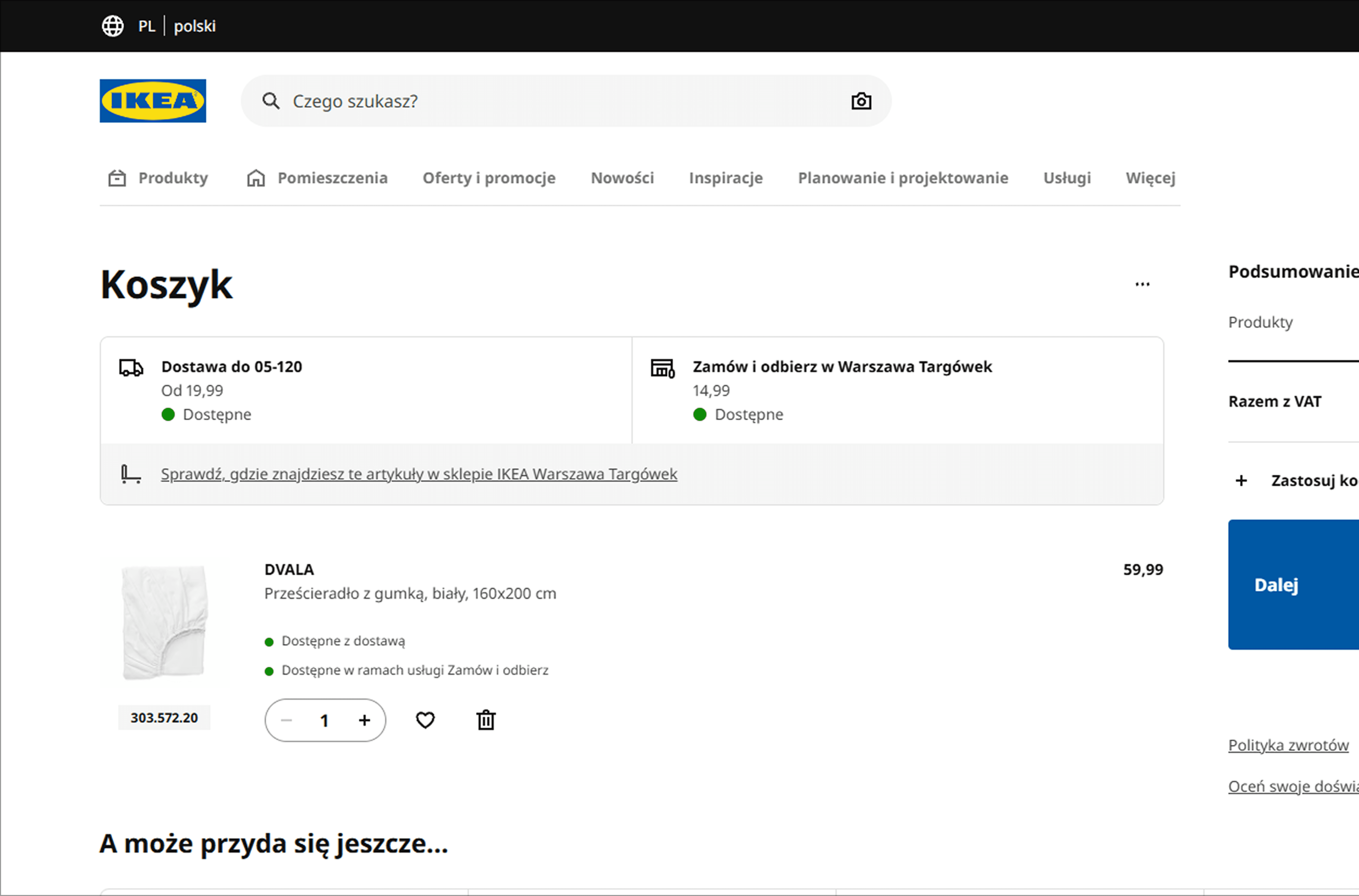
Cart Outcome
Delivery Date Prioritization: Following the same high-standard pattern as Apple, IKEA prioritizes delivery timing over carrier selection to provide a better user experience and schedule control.
Smart Cart Summary
Complimentary products are displayed at this stage to declutter the main product page. This ensures a cleaner, more focused experience while still driving additional sales.
Delivery Date Prioritization
Following the same high-standard pattern as Apple, IKEA prioritizes delivery timing over carrier selection to provide a better user experience and schedule control.

Delivery Outcome
Location-Based Shipping: Delivery suggestions are triggered by the zip code entry. This ensures the user sees accurate shipping data as early as possible in the flow.
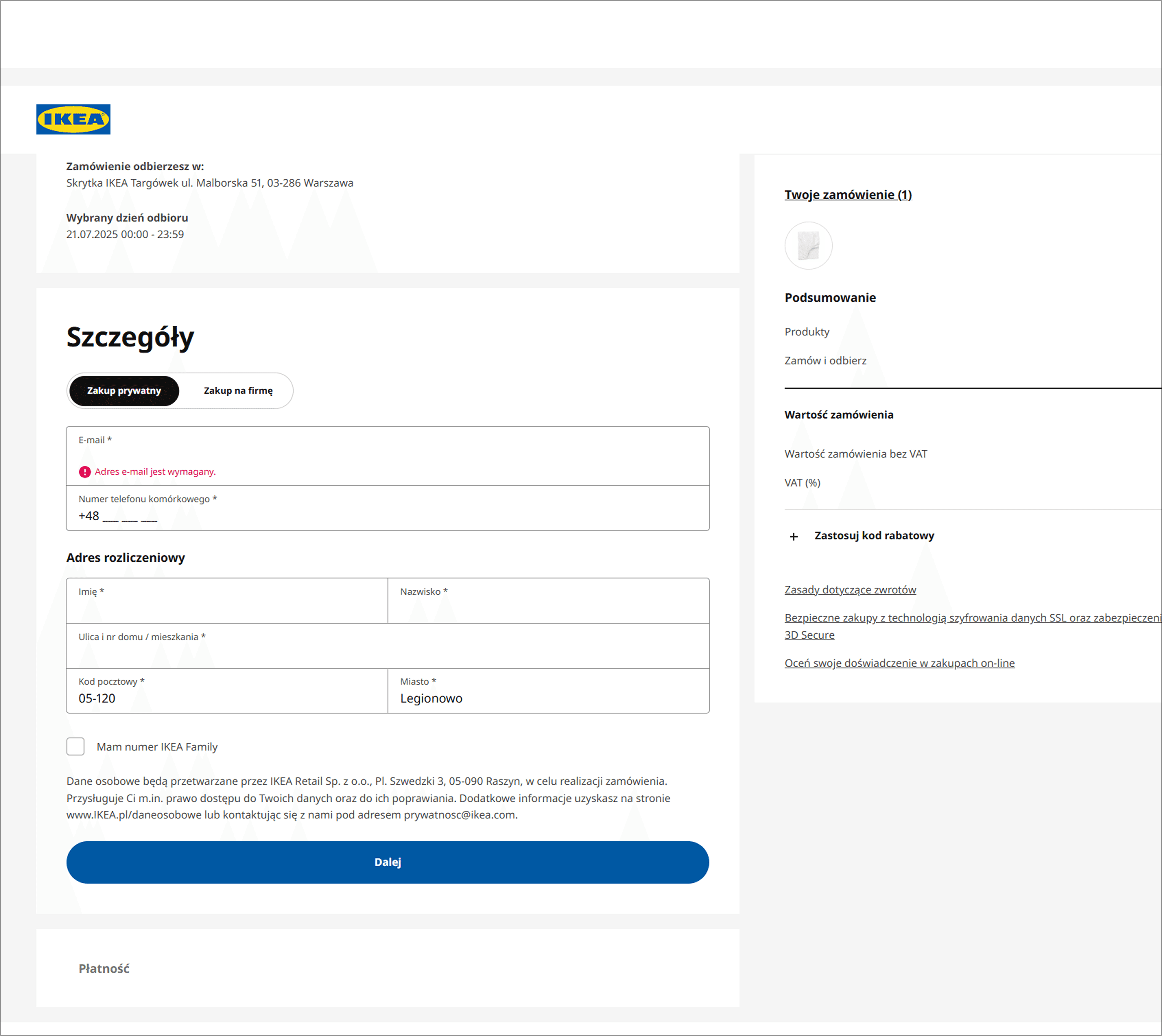
Delivery Outcome
Summary of previous steps: The customer makes all choices on one page. That's why the cart is quite long, but it stays smooth and fast..
Location-Based Shipping
Delivery suggestions are triggered by the zip code entry. This ensures the user sees accurate shipping data as early as possible in the flow.
Location-Based Shipping
Delivery suggestions are triggered by the zip code entry. This ensures the user sees accurate shipping data as early as possible in the flow.
Summary of previous steps
The customer makes all choices on one page. That's why the cart is quite long, but it stays smooth and fast.
User Flow
User Flow
Before designing the UI, I created low-fidelity flows to test the logic with stakeholders. After discussing and approving the User Flow with the client, I developed the final high-fidelity flow. This visualization reflects the optimized path we agreed upon to ensure a fast and effective checkout.
Before designing the UI, I created low-fidelity flows to test the logic with stakeholders. After discussing and approving the User Flow with the client, I developed the final high-fidelity flow. This visualization reflects the optimized path we agreed upon to ensure a fast and effective checkout.
Solution
Solution
I designed the final interface as a direct response to the issues identified during the research phase. Every change focuses on removing friction and simplifying the user's decision-making process. These screens demonstrate how each design choice provides a specific solution to critical user pain points, ensuring a seamless checkout experience.
I designed the final interface as a direct response to the issues identified during the research phase. Every change focuses on removing friction and simplifying the user's decision-making process. These screens demonstrate how each design choice provides a specific solution to critical user pain points, ensuring a seamless checkout experience.
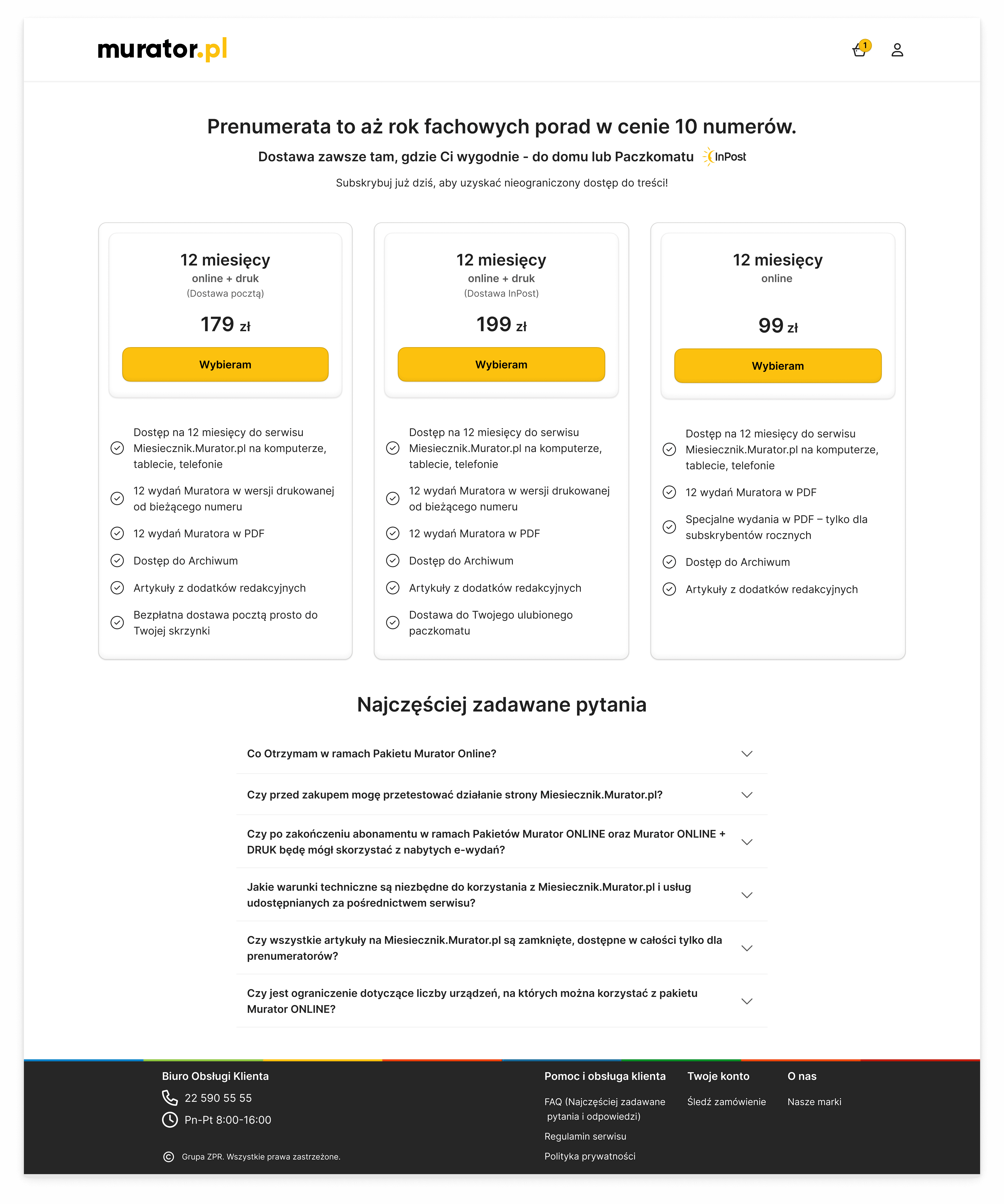
Landing Page Solution
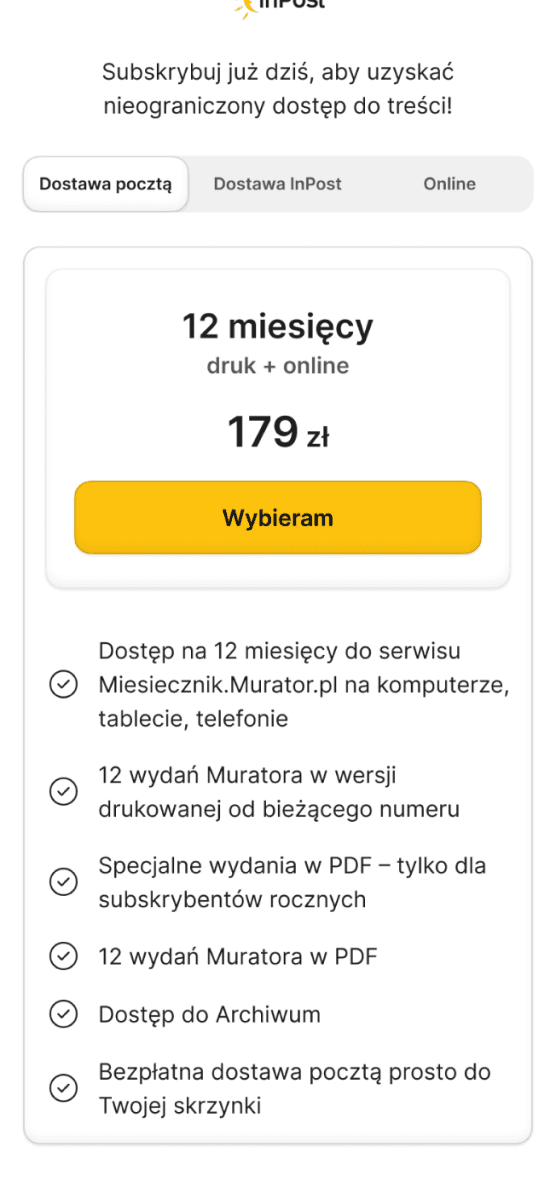
Visual Feature Checklist, Why: Clear checkmarks replace chaotic descriptions to show the exact value of each package. This builds trust by making it immediately obvious what the customer is paying for.
Clear Offer Comparison, Why: A 3-column layout simplifies the decision-making process. Organizing offers this way reduces friction, helping users make faster choices and instantly compare prices.
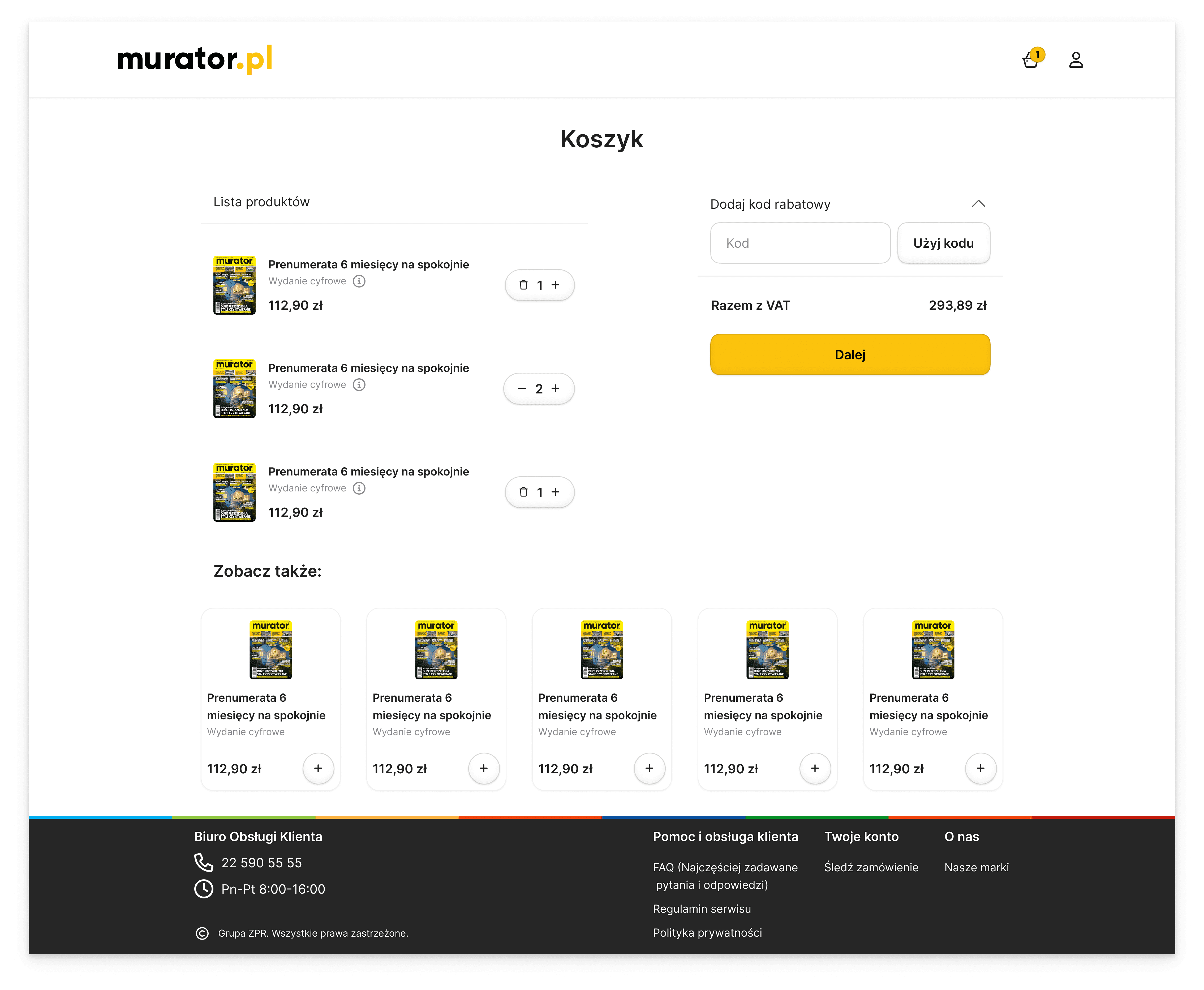
Cart Solution
Promo Code & Brand Identity, Why: Grouped the promo code with a bold, brand-colored button. A clear hierarchy guides the user’s eye straight to the final step.
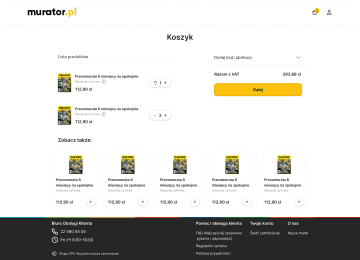
Visual Trust, Why: Added product images to reduce uncertainty. Seeing the items confirms the choice and prevents users from leaving the cart.
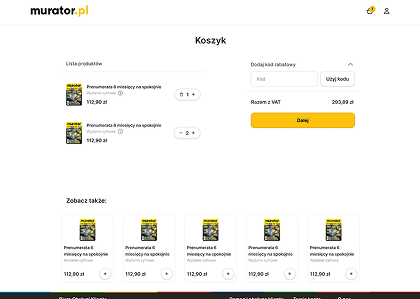
Cross-selling, Why: Added a "See also" section to increase business revenue. Smart suggestions encourage users to add more items before checkout.
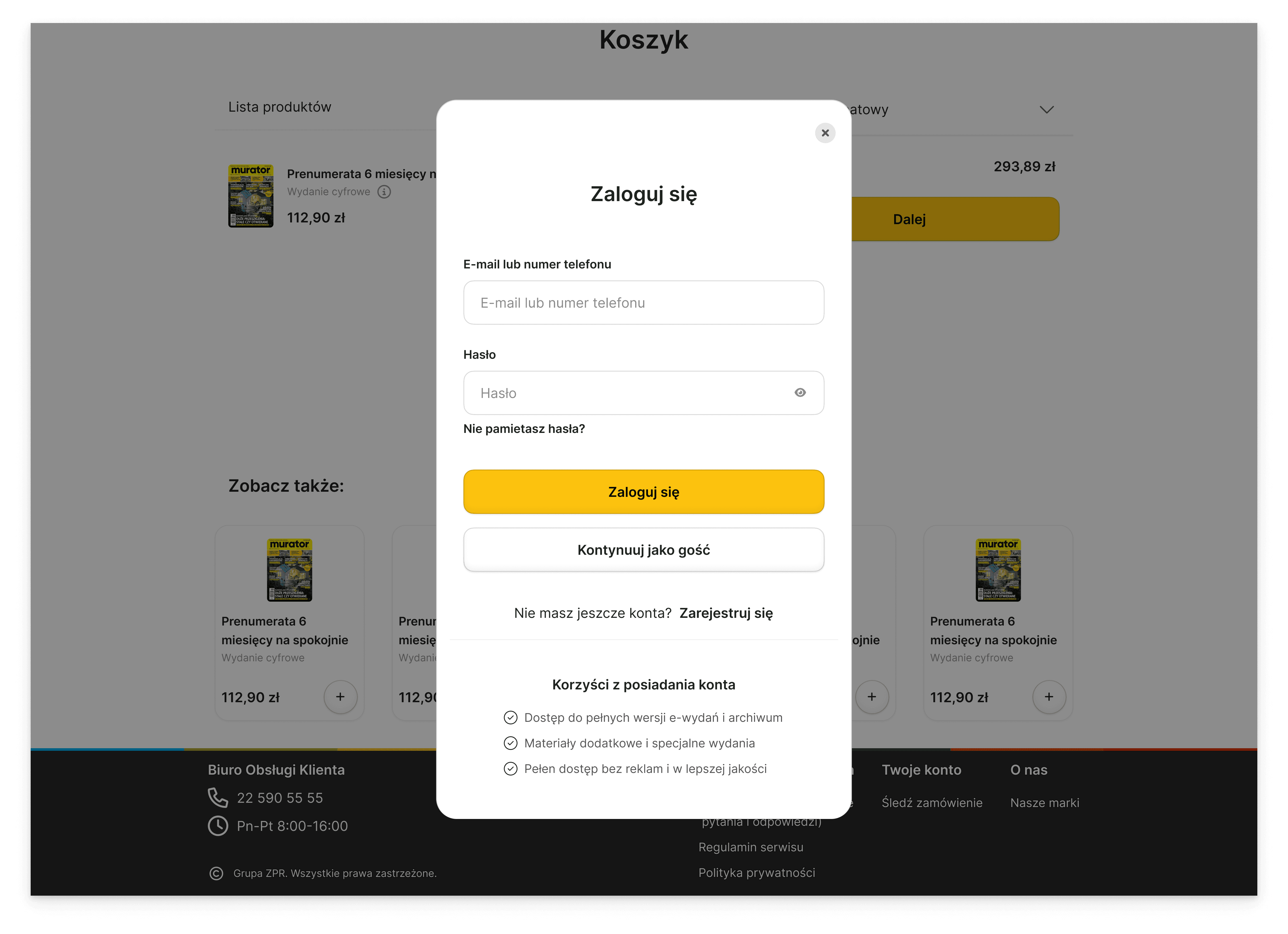
Cart Solution
Guest Checkout, Why: Grouped the promo code with a bold, brand-colored button. A clear hierarchy guides the user’s eye straight to the final step.
Clear Offer Comparison
Why: A 3-column layout simplifies the decision-making process. Organizing offers this way reduces friction, helping users make faster choices and instantly compare prices.
Visual Feature Checklist
Why: Clear checkmarks replace chaotic descriptions to show the exact value of each package. This builds trust by making it immediately obvious what the customer is paying for.
Visual Trust
Why: Added product images to reduce uncertainty. Seeing the items confirms the choice and prevents users from leaving the cart.
Cross-selling
Why: Added a "See also" section to increase business revenue. Smart suggestions encourage users to add more items before checkout.
Promo Code & Brand Identity
Why: Grouped the promo code with a bold, brand-colored button. A clear hierarchy guides the user’s eye straight to the final step.
Guest Checkout
Why: Allowing users to shop as guests removes the registration barrier. This directly addresses the need for a "one-click" experience, reducing abandonment and speeding up the final purchase.
Final UI Design
Final UI Design
I transformed the chaotic checkout process into a clean, focused experience. By applying familiar e-commerce patterns and radical simplification, I created a path where the only thing the user has to focus on is completing their purchase. No distractions, just clarity.
I transformed the chaotic checkout process into a clean, focused experience. By applying familiar e-commerce patterns and radical simplification, I created a path where the only thing the user has to focus on is completing their purchase. No distractions, just clarity.
Desktop
Mobile
Landing Page
The main goal of this landing page was to redesign the magazine’s offers so they are clear and easy to read. I focused on making all the offers look consistent and organized, so visitors can quickly understand what’s being offered. The design is simple, clean, and easy to follow, which makes the magazine’s content more user-friendly.
Cart
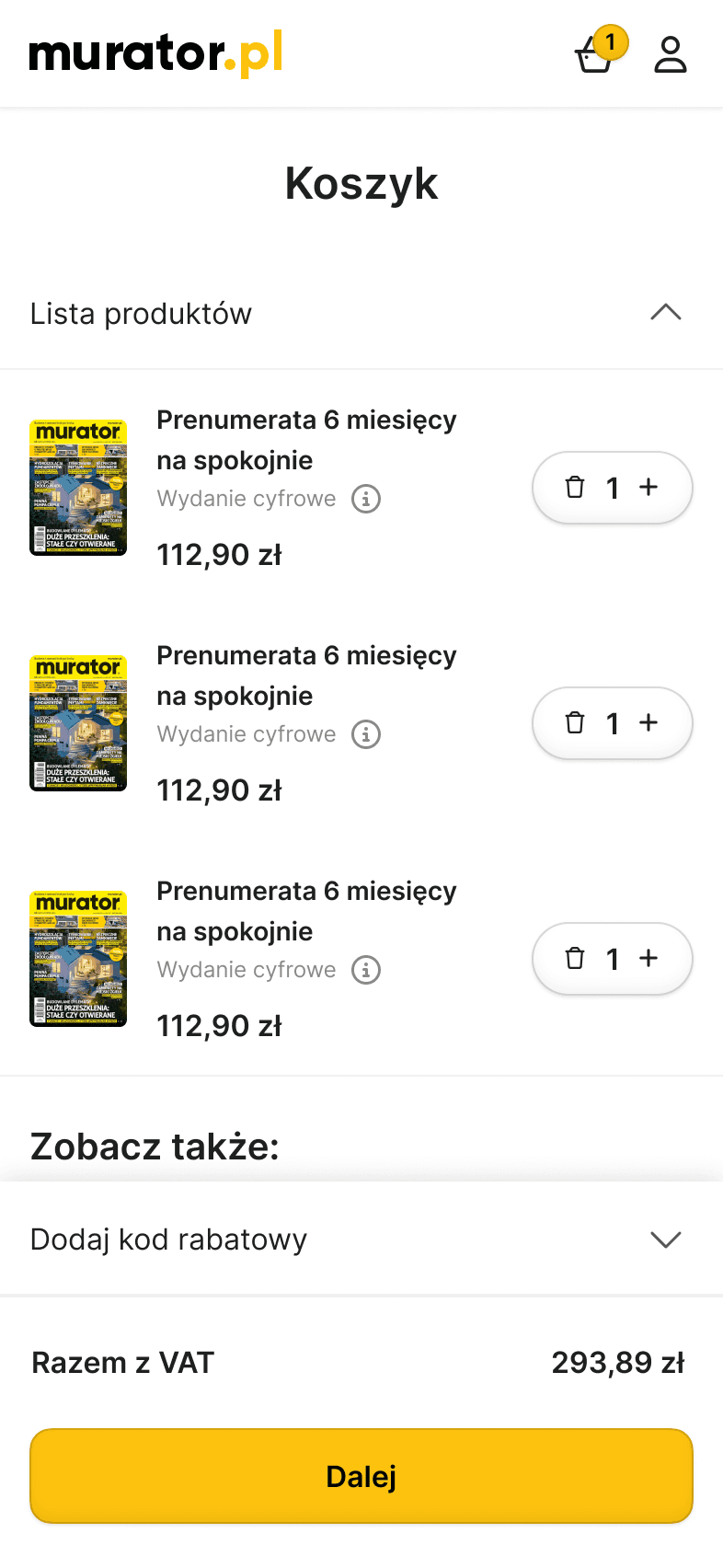
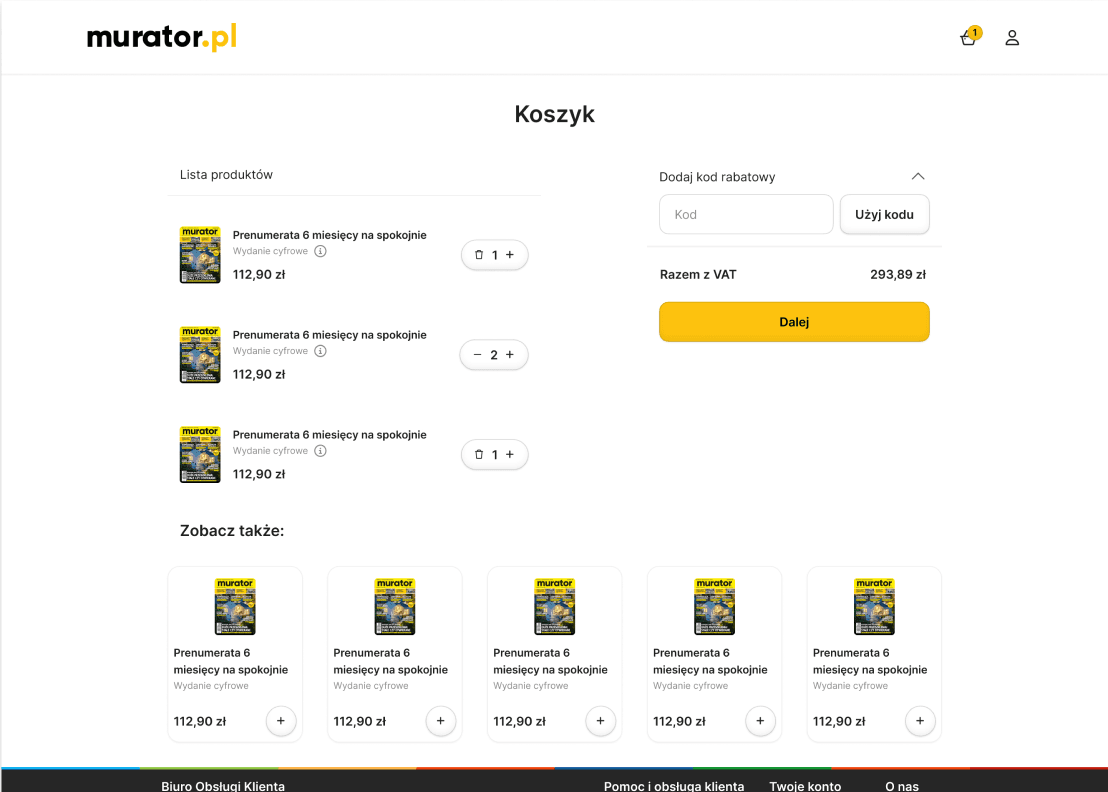
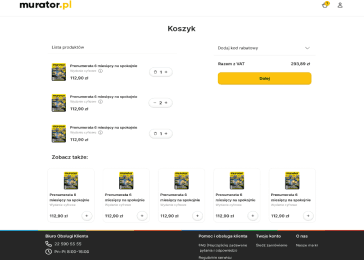
Once a product is selected, the user is taken to the cart page, where the chosen item is displayed. A summary panel is positioned on the right side, and cross-selling suggestions are shown at the bottom to encourage additional purchases.
Sign Up
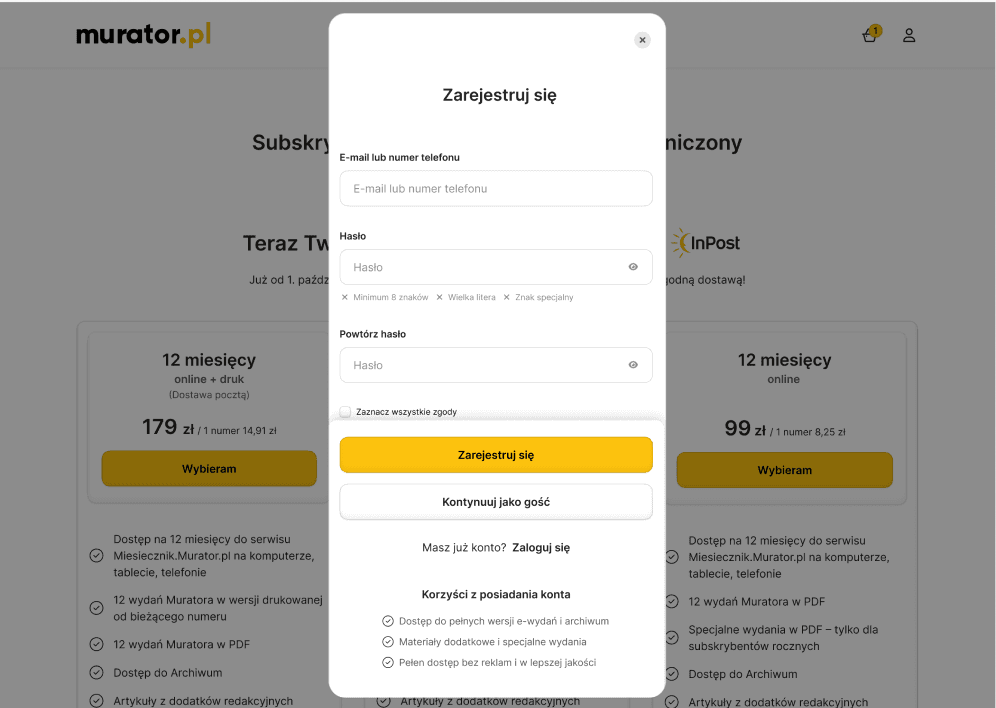
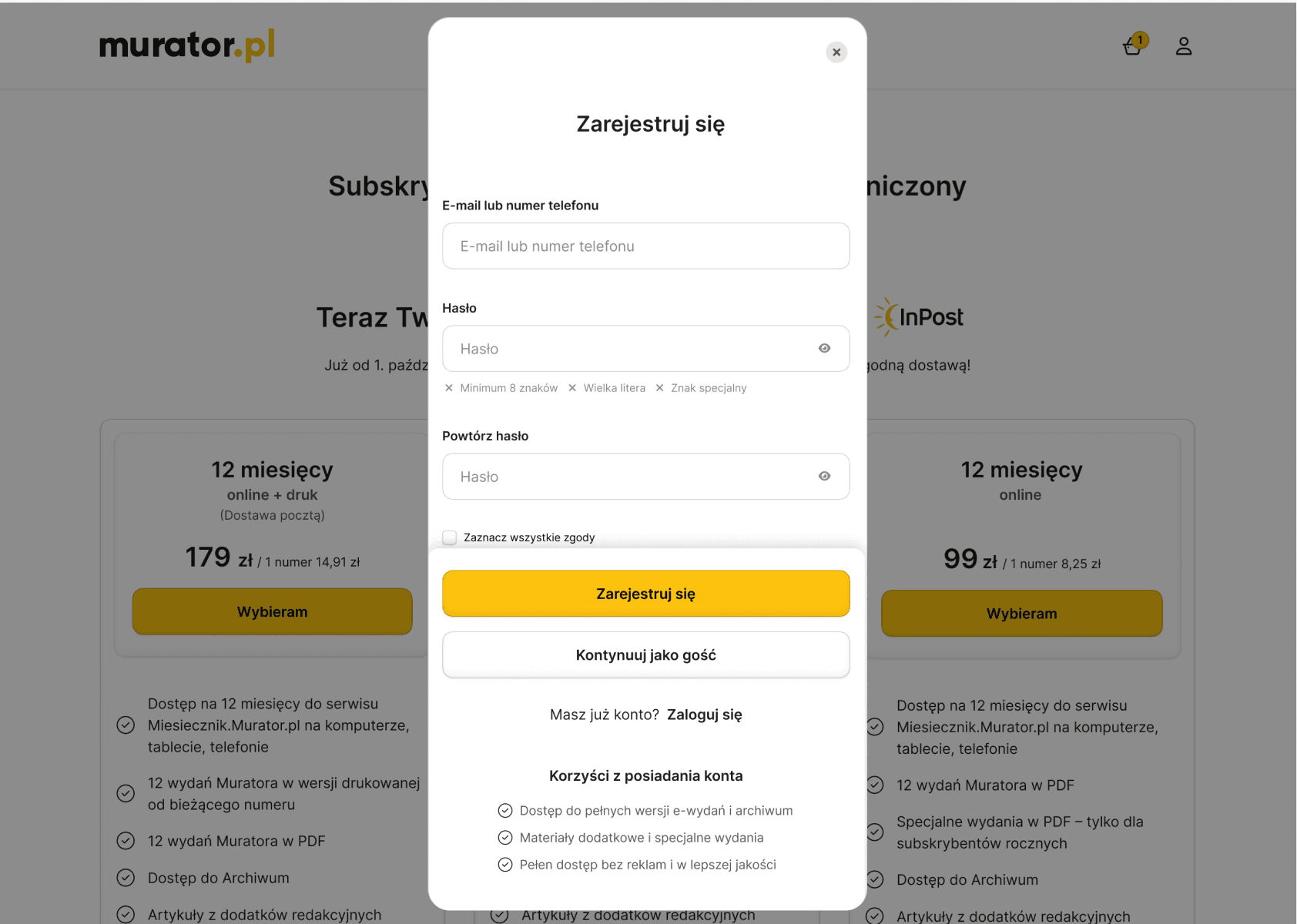
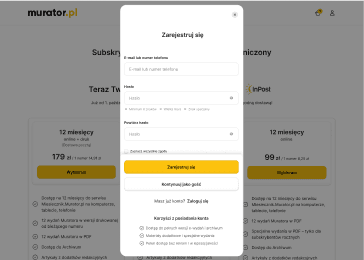
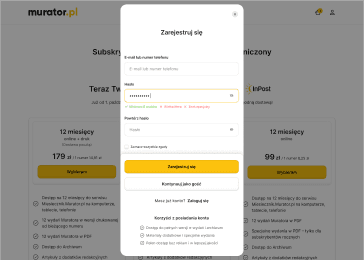
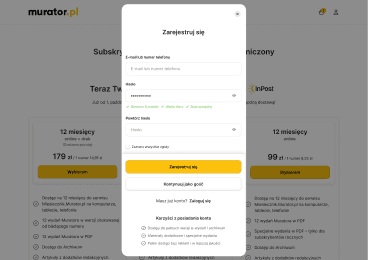
During registration, a modal window appears offering users three options: sign up, continue as a guest, or log in. To sign up, users need to provide their email or phone number, create a password, and confirm the password. The modal keeps all options clearly visible, making it easy for users to choose how they want to proceed.
Log In
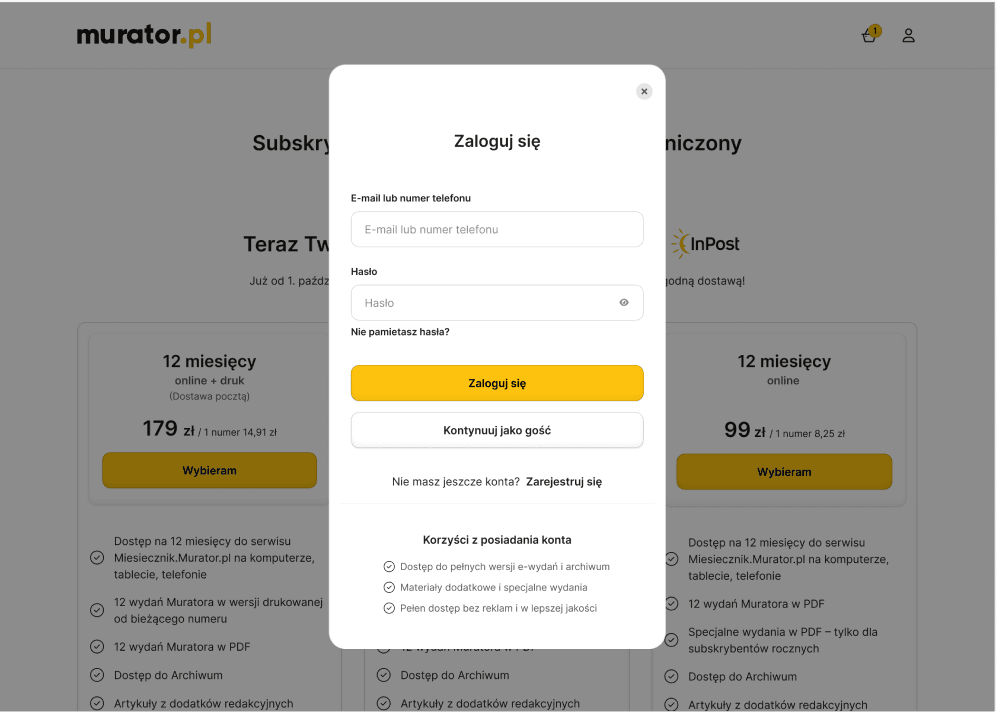
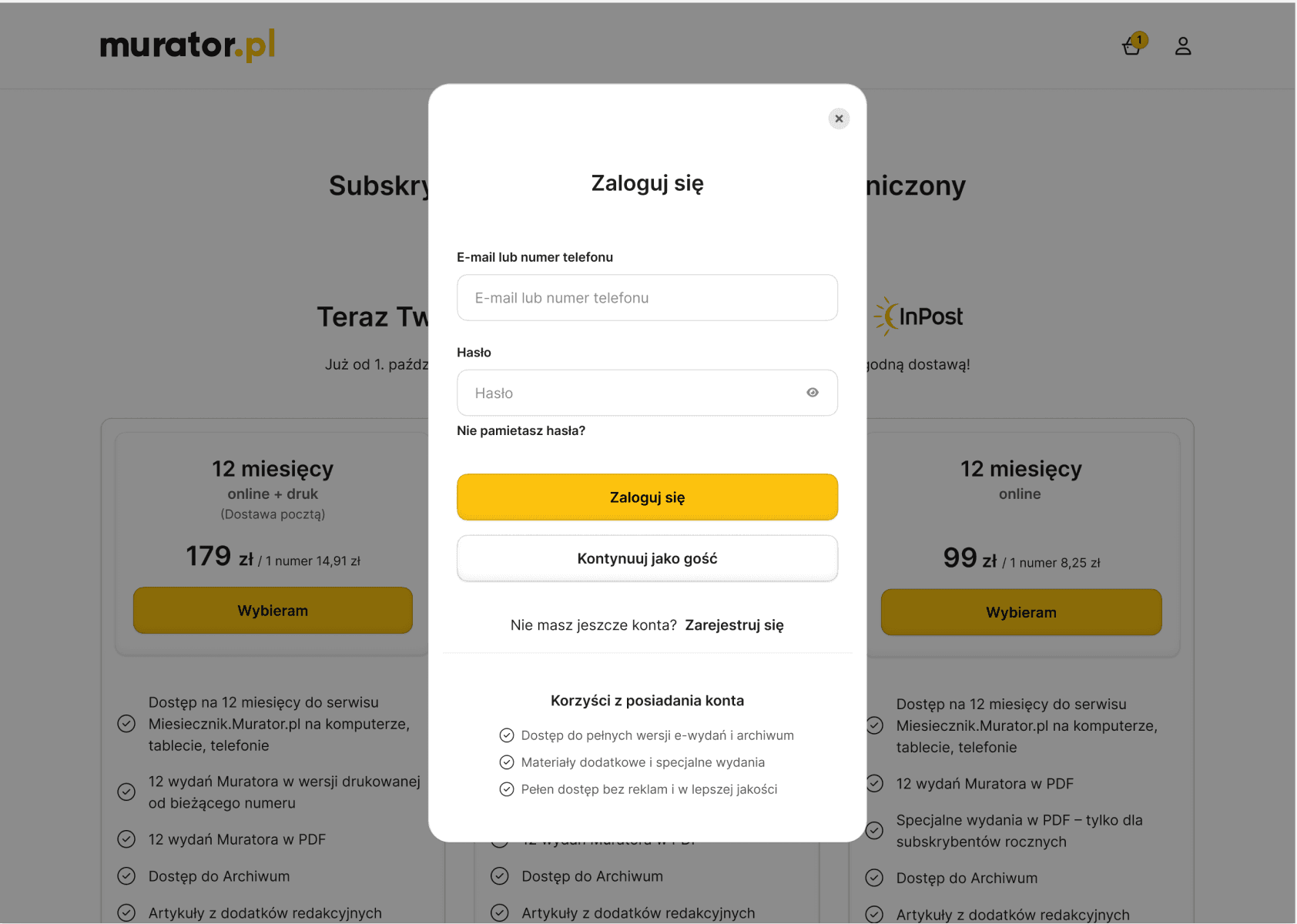
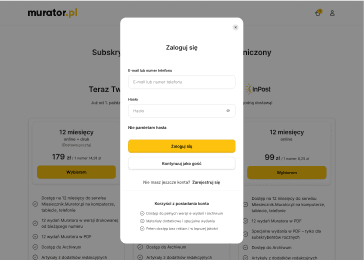
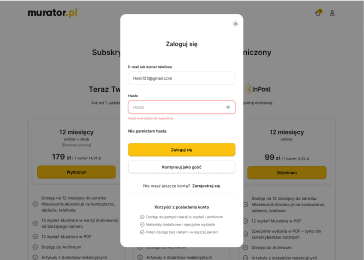
During Log In, a modal window appears where users can enter their email or phone number and password. The modal also provides options to continue as a guest or to sign up if they don’t have an account yet, keeping all choices clearly visible for easy navigation.
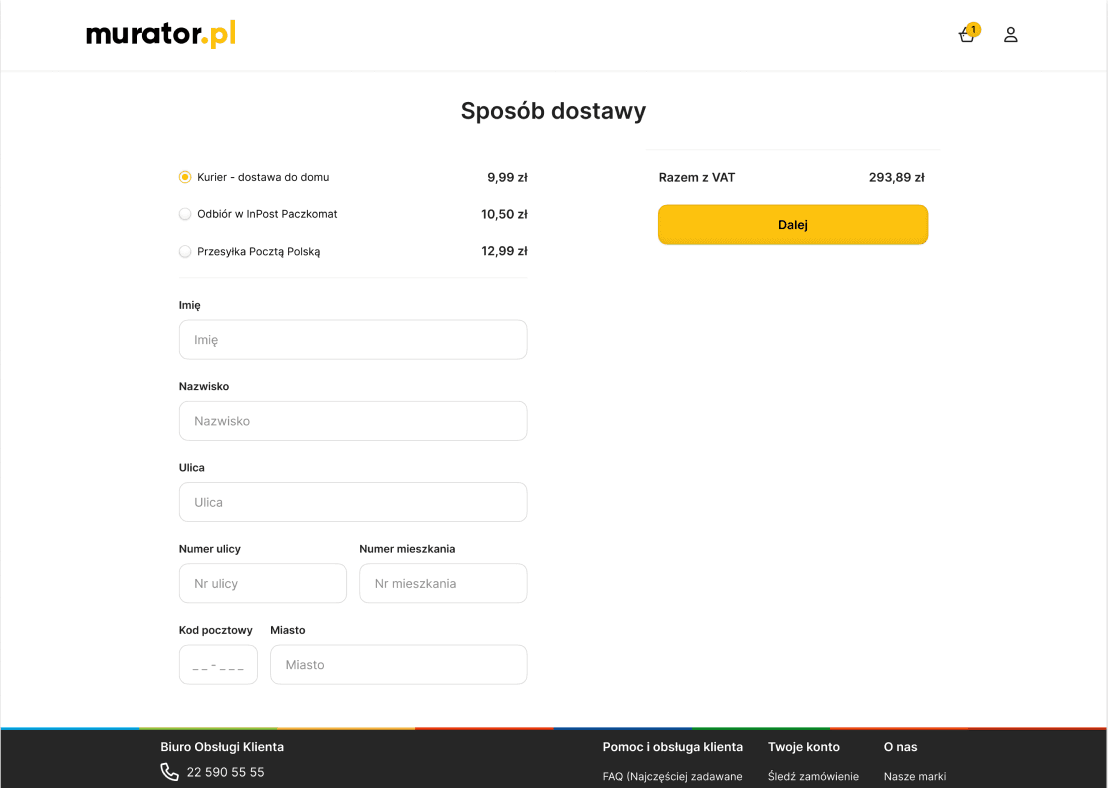
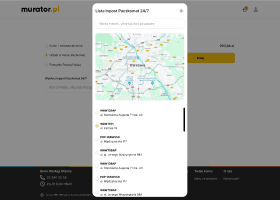
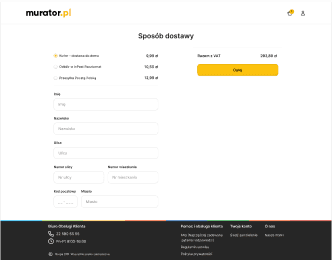
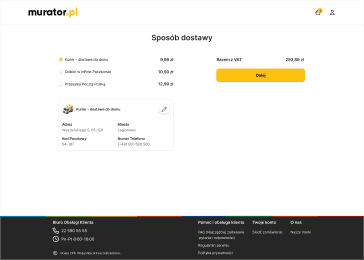
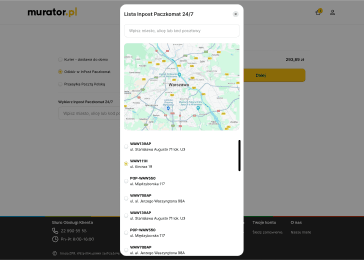
Delivery - Guest
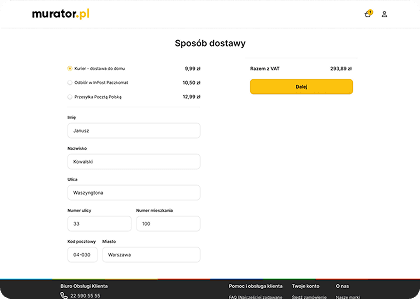
This screen presents three available delivery options. When the user selects the courier option while not being signed in, an additional form is displayed to collect the required shipping information before continuing with the checkout.
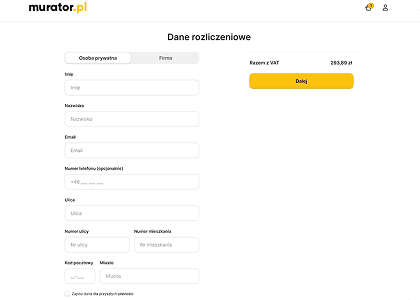
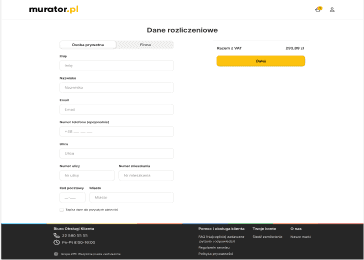
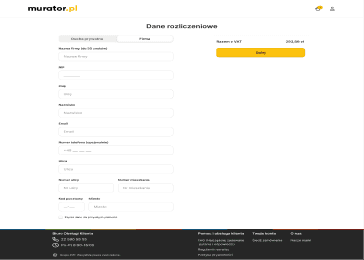
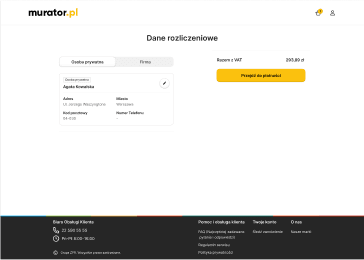
Billing details - Individual
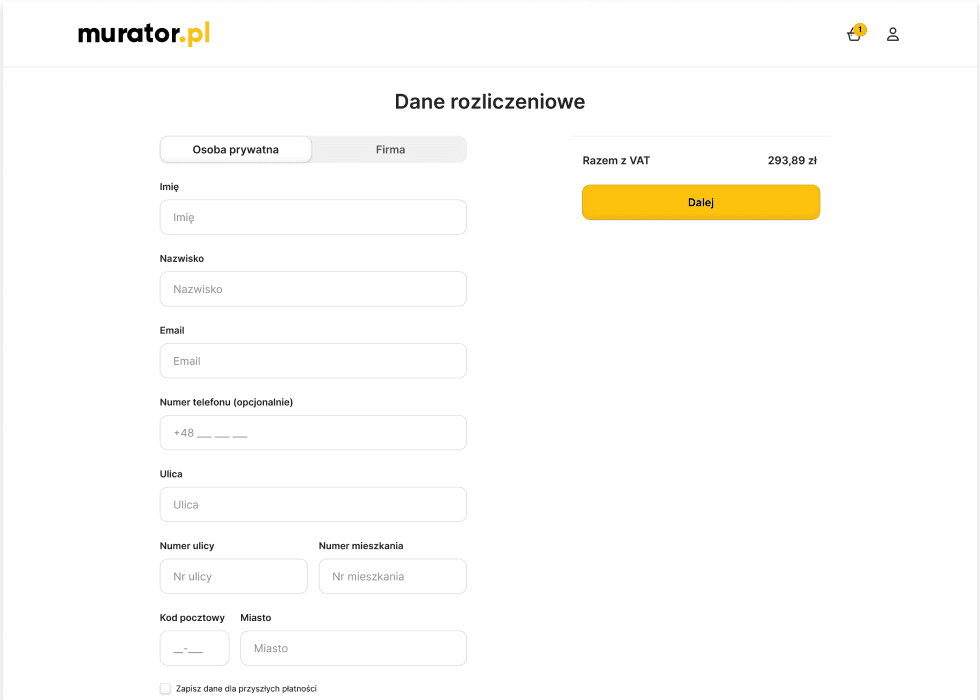
On this screen, when the user is a guest, a form appears to enter billing information. The user can specify whether they are entering the details as an “Individual” or a “Company.”
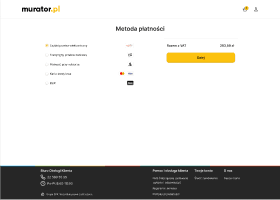
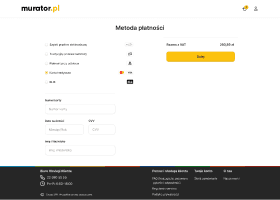
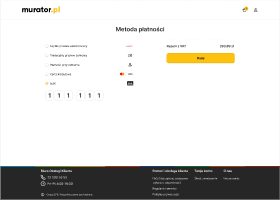
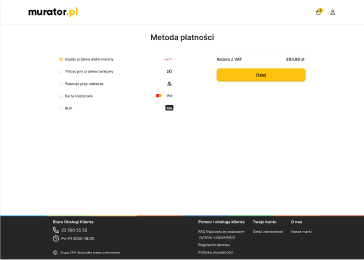
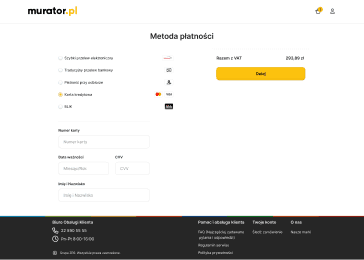
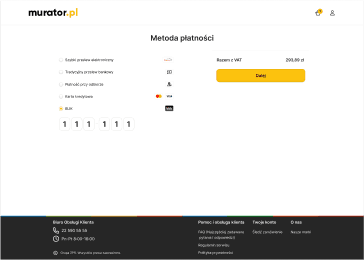
Przelewy 24
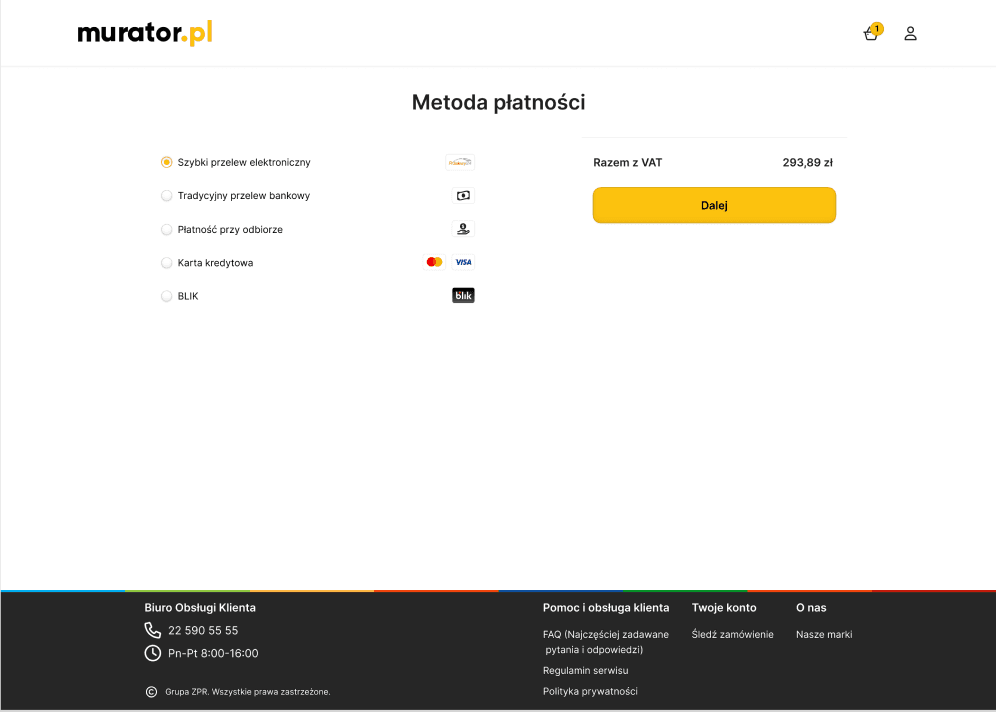
On this screen, we can see the selected payment option: fast electronic transfer. After clicking “Next,” the user is redirected to the external Przelewy24 payment page.
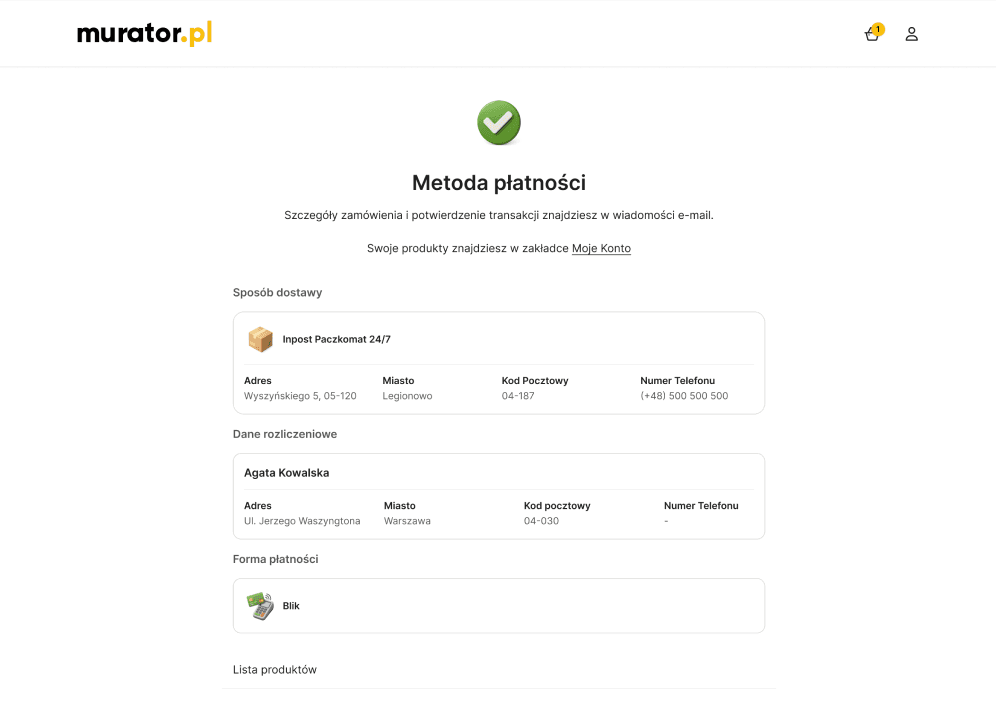
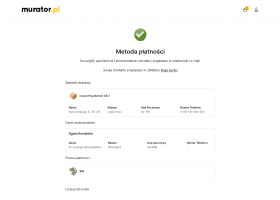
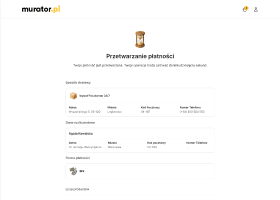
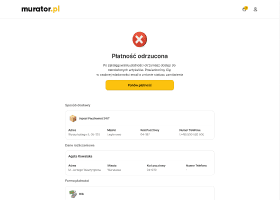
Successful Payment
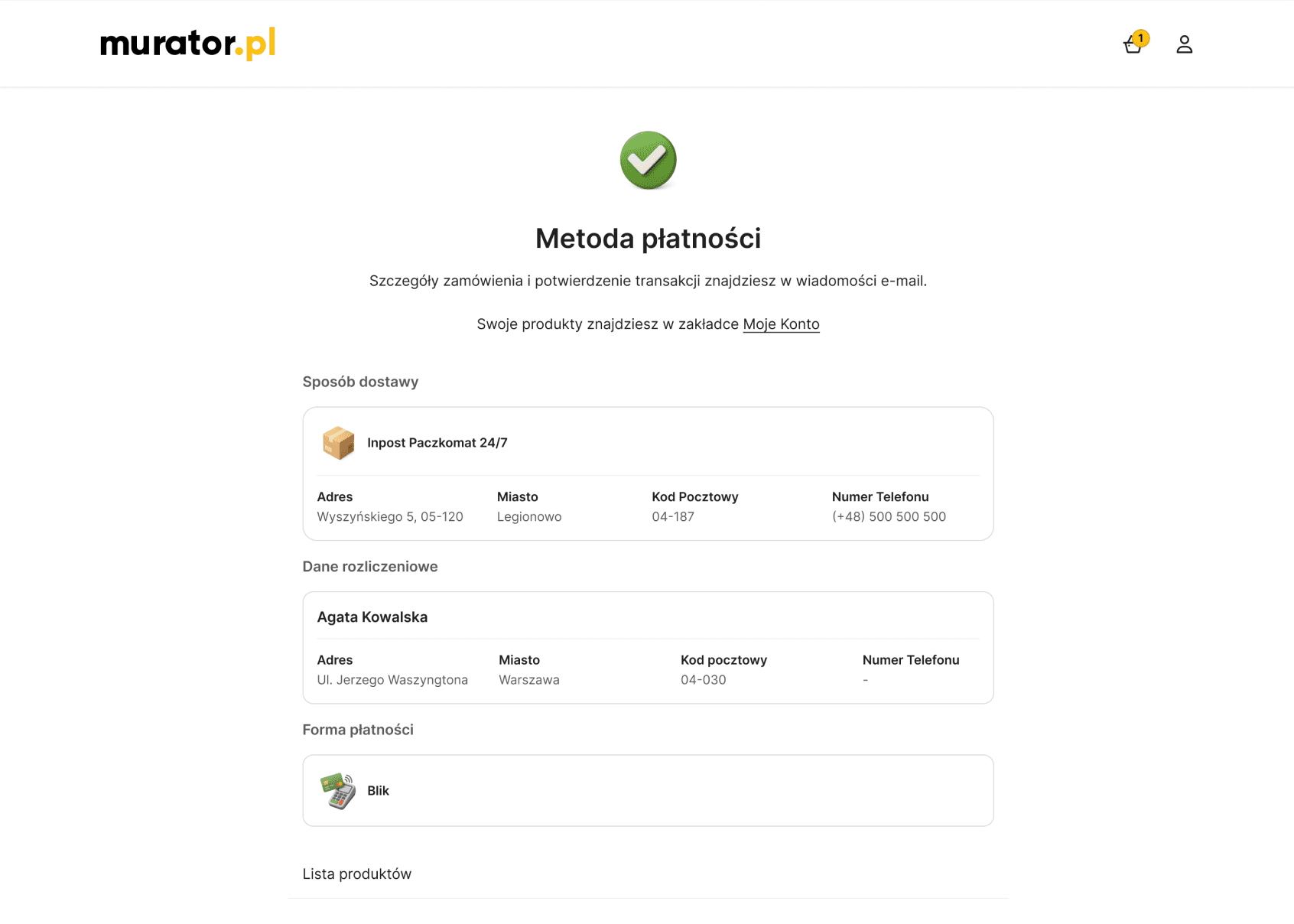
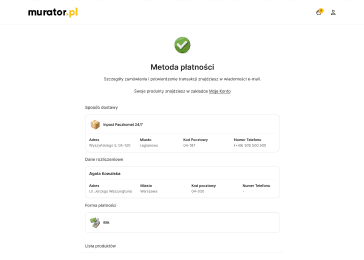
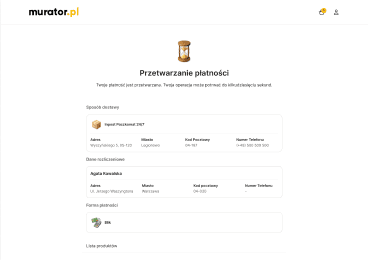
When the payment is completed successfully, the user is taken to a confirmation screen that summarizes the order and clearly indicates that the selected payment method was processed without any issues.
Desktop
Mobile
Landing Page
The main goal of this landing page was to redesign the magazine’s offers so they are clear and easy to read. I focused on making all the offers look consistent and organized, so visitors can quickly understand what’s being offered. The design is simple, clean, and easy to follow, which makes the magazine’s content more user-friendly.
Cart
Once a product is selected, the user is taken to the cart page, where the chosen item is displayed. A summary panel is positioned on the right side, and cross-selling suggestions are shown at the bottom to encourage additional purchases.
Sign Up
During registration, a modal window appears offering users three options: sign up, continue as a guest, or log in. To sign up, users need to provide their email or phone number, create a password, and confirm the password. The modal keeps all options clearly visible, making it easy for users to choose how they want to proceed.
Log In
During Log In, a modal window appears where users can enter their email or phone number and password. The modal also provides options to continue as a guest or to sign up if they don’t have an account yet, keeping all choices clearly visible for easy navigation.
Delivery - Guest
This screen presents three available delivery options. When the user selects the courier option while not being signed in, an additional form is displayed to collect the required shipping information before continuing with the checkout.
Billing details - Individual
On this screen, when the user is a guest, a form appears to enter billing information. The user can specify whether they are entering the details as an “Individual” or a “Company.”
Przelewy 24
On this screen, we can see the selected payment option: fast electronic transfer. After clicking “Next,” the user is redirected to the external Przelewy24 payment page.
Successful Payment
When the payment is completed successfully, the user is taken to a confirmation screen that summarizes the order and clearly indicates that the selected payment method was processed without any issues.
Desktop
Mobile
Landing Page
The main goal of this landing page was to redesign the magazine’s offers so they are clear and easy to read. I focused on making all the offers look consistent and organized, so visitors can quickly understand what’s being offered. The design is simple, clean, and easy to follow, which makes the magazine’s content more user-friendly.
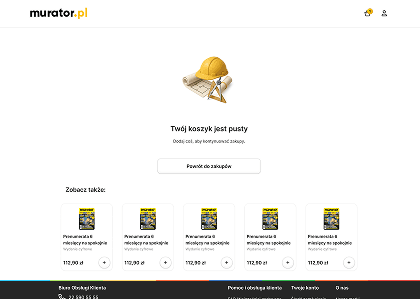
Empty Cart
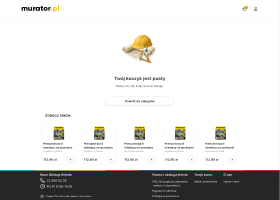
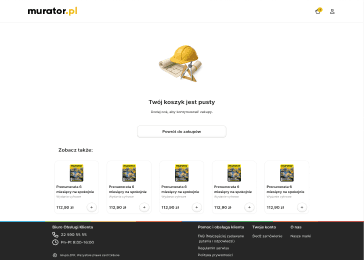
A blank screen is a dead end, so I turned it into an opportunity. I added a "Return to Shop" button and some recommended products. This helps the user go back to browsing instead of just leaving the site.
Sign Up
I designed the sign-up form as a modal to keep the user in the context of their purchase. The form is minimal, asking only for the most important data like email or phone number. Most importantly, I included a clear option to continue as a guest, so the registration doesn't become a barrier to finishing the order.
Log In
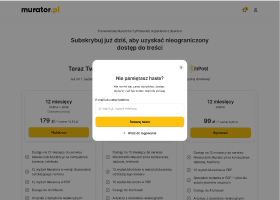
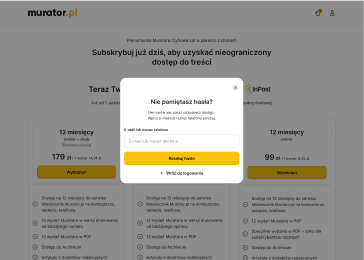
The login form is also a modal to keep the purchase process fast. I made sure that all options, including "Guest Checkout" and "Sign Up," are clearly visible. This way, if a user forgets their password or doesn't have an account, they don't get stuck and can quickly finish their order.
Delivery - Guest
For users shopping as guests, I designed a simple form that asks only for essential shipping data. By removing unnecessary fields, I made the process much faster, ensuring that users can finish their order without any frustration.
Billing details - Individual
I simplified the billing form by asking only for necessary information. Users can easily switch between "Individual" and "Company" options, ensuring that the interface stays clean and shows only the relevant fields for each choice.
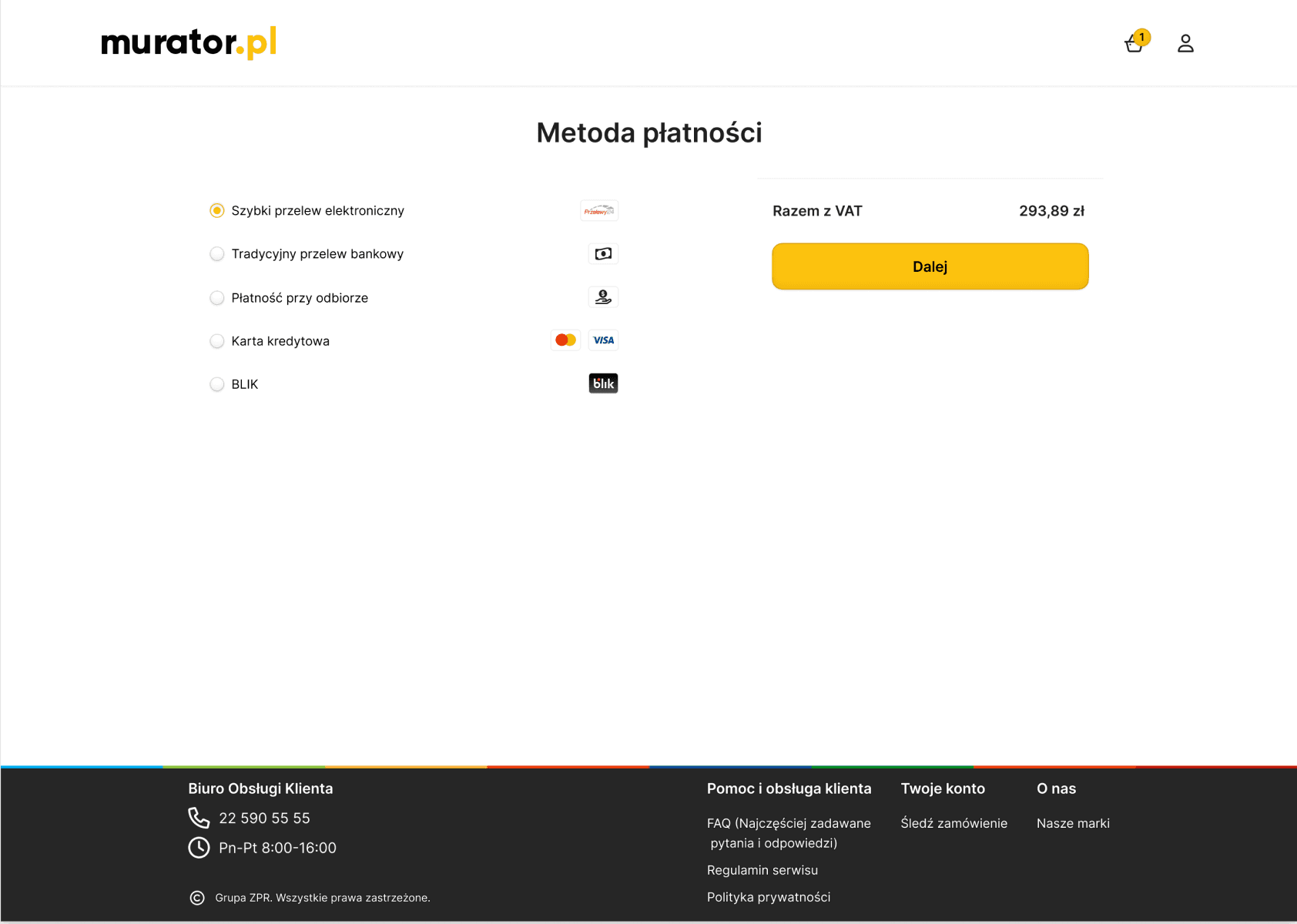
Przelewy 24
I chose Przelewy24 as the main payment gateway because it’s the most trusted and familiar option for Polish users. The interface is clean, and clicking "Next" takes the user directly to their bank, making the whole process feel secure and official.
Successful Payment
This screen confirms that the purchase was successful. I included a clear summary of the order and the next steps, so the user feels reassured. The goal was to give a positive final experience and make it easy to go back to the home page or start reading.
Desktop
Mobile
Landing Page
My main goal was to simplify the complex subscription offers to help users make faster decisions. By introducing a 3-column layout and a visual feature checklist, I reduced the cognitive load and allowed for an instant "at-a-glance" comparison. This new information architecture makes the magazine's value clear and directly supports higher conversion rates.
Cart
I wanted to make the checkout as clear as possible. The order summary is always visible on the right, so the user knows exactly what they are paying for. At the bottom, I added small product suggestions that don't distract from finishing the purchase.
Sign Up
I designed the sign-up form as a modal to keep the user in the context of their purchase. The form is minimal, asking only for the most important data like email or phone number. Most importantly, I included a clear option to continue as a guest, so the registration doesn't become a barrier to finishing the order.
Log In
The login form is also a modal to keep the purchase process fast. I made sure that all options, including "Guest Checkout" and "Sign Up," are clearly visible. This way, if a user forgets their password or doesn't have an account, they don't get stuck and can quickly finish their order.
Delivery - Guest
For users shopping as guests, I designed a simple form that asks only for essential shipping data. By removing unnecessary fields, I made the process much faster, ensuring that users can finish their order without any frustration.
Billing details - Individual
I simplified the billing form by asking only for necessary information. Users can easily switch between "Individual" and "Company" options, ensuring that the interface stays clean and shows only the relevant fields for each choice.
Przelewy 24
I chose Przelewy24 as the main payment gateway because it’s the most trusted and familiar option for Polish users. The interface is clean, and clicking "Next" takes the user directly to their bank, making the whole process feel secure and official.
Successful Payment
This screen confirms that the purchase was successful. I included a clear summary of the order and the next steps, so the user feels reassured. The goal was to give a positive final experience and make it easy to go back to the home page or start reading.
Final Result
I completed the project and provided full documentation and assets to the development team for implementation. The design was prepared to be "hand-off ready," ensuring that developers had everything they needed to build it according to the new standards.
My goal was to deliver a scalable and user-focused solution that simplifies the entire subscription process. The project is now in the implementation phase, and I am confident that the new flow will significantly improve the user experience and business results.
Final Result
I completed the project and provided full documentation and assets to the development team for implementation. The design was prepared to be "hand-off ready," ensuring that developers had everything they needed to build it according to the new standards.
My goal was to deliver a scalable and user-focused solution that simplifies the entire subscription process. The project is now in the implementation phase, and I am confident that the new flow will significantly improve the user experience and business results.